User Management and License Optimizer for Jira & Confluence

OVERALL RATINGS
INSTALLS
287
SUPPORT
- Partner Supported
TRUST SIGNALS
Key highlights of the appOffboard users, deactivate inactive accounts & optimize Jira and Confluence licenses, audit-ready, multi-site, compliant
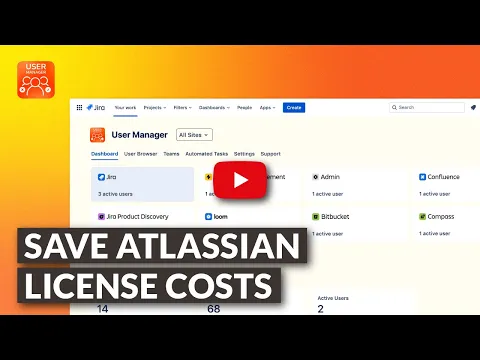
Optimize Jira & Confluence licenses
See a multi-site license dashboard, spot unused seats, and automate cleanups on a schedule. Reclaim licenses, cut Atlassian costs by up to 30%, and keep user directories accurate across every site
Deactivate inactive users & offboard at scale
Find inactive accounts across Jira, Confluence, and all Atlassian apps, then bulk-deactivate them or schedule automated offboarding. Keep a full audit trail for SOC 2, ISO 27001, and GDPR evidence requests
Automate bulk user management at scale
Run scheduled rules for bulk suspend, group membership changes, and app access cleanup across thousands of users. Save up to 80% admin time and stay audit-ready with full action history
Editions
This app offers two different editions - Standard and Advanced. You can start a free trial of either edition, and change your edition anytime during or after the trial.
Standard
Onboard your team and scale fast
Includes:
Central Dashboard & Metrics
Product Tiles & Drill‑Down
User Browser & Multi‑Site view
Advanced Search & Filters
Smart Activity Tracking
Advanced
Unlock the full range of app features
Everything from Standard, plus:
5× Multiplier & 6‑month logs
More details
Find inactive users, deactivate accounts, and offboard at scale across every Atlassian Cloud site. User Management and License Optimizer reclaims Jira and Confluence licenses with the compliance trail regulated teams need.
- The multi-site dashboard surfaces license usage, active vs. inactive users, and never-logged-in accounts across Jira, JSM, Confluence and all Atlassian Apps
Deactivate and offboard by inactivity threshold (3 days to 6 months) - bulk suspend, remove group memberships, and revoke app access in one action. - Every action is logged with actor, timestamp, and reason for SOC 2, ISO 27001, and GDPR evidence.
- Teams save up to 80% admin time and cut license costs by up to 30%.
Cloud Fortified, Bug Bounty approved, Gold Marketplace Partner. Built on Atlassian Forge.
Resources
App documentation
Comprehensive set of documentation from the partner on how this app works
Privacy and Security
Privacy policy
Atlassian's privacy policy is not applicable to the use of this app. Please refer to the privacy policy provided by this app's partner.
Partner privacy policySecurity program
This app is part of the Marketplace Bug Bounty program.
About Bug Bounty programIntegration permissions
User Management and License Optimizer for Jira & Confluence integrates with your Atlassian app
Version information
Version 4.7.0•for Jira Cloud
- Release date
- Aug 26th 2026
- Summary
- Improvement Release
- Details
More Options for the Excel Export Feature
You can now select whether to export users along with their product access and/or groups from the “Included Groups” picker in the user browser. In large organizations and/or when users are members of many groups, the export would otherwise take a long time or exceed the number of rows an Excel spreadsheet can contain.
- Payment model
- Paid via Atlassian
- License type
- Commercial