OVERALL RATINGS
INSTALLS
5
SUPPORT
- Partner Supported
TRUST SIGNALS
Key highlights of the appRead .msg and .eml email attachments on the Jira work item and attach the files inside them in one click. Free up to 10 users
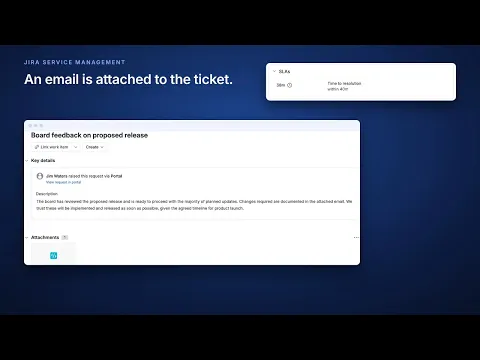
Email rendered, its files attached in one click
The Emails tab renders each .msg or .eml as an email card: subject, sender, recipients, date, body with inline images, and its attachments. Each file can be downloaded or attached to the work item in one click.
Every work item, nothing to configure
Both surfaces appear on install: an Emails tab in the work item's Activity section, and an Attached emails group in the sidebar whose body counts the emails and lists each by filename, attached date and uploader.
Read as you, parsed in the browser, stored nowhere
Eleven granular Jira permissions, all reads except one write, used only when you click Attach. Each email is read from your own Jira as you and parsed in your browser. Cloudscript operates no server or store.
More details
- Read attached .msg or .eml emails in an Emails tab in the work item's Activity section
- Viewing an email does not notify its sender (internet images stay off until you load them)
- For phishing triage, see every header and where every link really goes
- A damaged, too-large or oddly encoded file gets a note saying why, not gibberish
- One click attaches a file from inside the email to the work item
- The sidebar counts attached emails and lists each by filename, date and uploader
In Jira Service Management:
- The app is for agents and internal users; rendered emails are not visible to customers using the portal
Data security:
- The app keeps no copy of anything, and no email content reaches Cloudscript
- Files are read from your own Jira and parsed in your browser (Atlassian's servers see only the first 1 KB of each file, to identify its type, and keep nothing)
- Every call runs as you, so Jira's permissions decide what you can see
- 11 granular Jira permissions: 10 reads and 1 write, used only by Attach
Resources
App documentation
Comprehensive set of documentation from the partner on how this app works
Privacy and Security
Privacy and security questionnaire has been filled by the partner
Privacy policy
Atlassian's privacy policy is not applicable to the use of this app. Please refer to the privacy policy provided by this app's partner.
Partner privacy policySecurity program
This app is not part of the Marketplace Bug Bounty program.
Integration permissions
MSG & EML Email Viewer for Jira integrates with your Atlassian app
Version information
Version 2.4.0•for Jira Cloud
- Release date
- Oct 30th 2026
- Summary
- See every header, the recorded authentication results and where each link goes.
- Details
New
- Each email attached to a work item now has a Details control beside its headers. It shows the authentication results the receiving servers wrote into the file, as recorded and never checked online; the delivery route; where replies go when Reply-To differs from the sender; every link with the address it actually goes to; the remote images the viewer blocks; and every header as recorded. A host written outside basic Latin is shown with its ASCII form. Copy findings puts a plain-text summary on the clipboard with the links defanged, so it pastes into a comment as text.
- The message can also be read as plain text, or as its original source for an .eml file. Earlier messages in a reply chain are folded by default; one click shows them.
Fixed - Inline images sent as attachments with a Content-ID now display.
- Payment model
- Paid via Atlassian
- License type
- Commercial