Created vs Resolved charts for Jira (Agile Gadgets Reports)

Additional time may be available from the app vendor.
About Data Center trials
OVERALL RATINGS
INSTALLS
7
SUPPORT
- Partner Supported
Key highlights of the appCreated vs Resolved charts: cumulative/by period created vs resolved reports for Sprint balance, Kanban, Release on Jira Dashboard
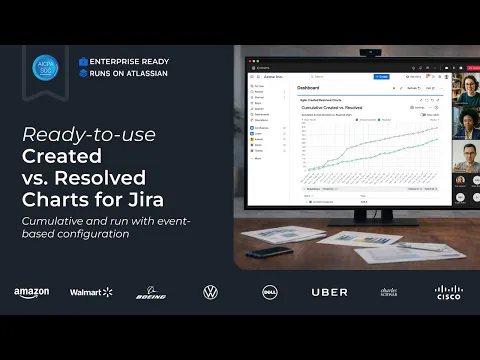
Real-time demand vs delivery reporting in Jira
Compare created vs resolved work, track cumulative intake vs completion, configure arrival/departure events, view trends by period (lines or bars), and break down by any field to see where capacity is going.
Beginner-friendly and highly customizable
Start from template, select data source and one/multiple boards (Scrum/Kanban, etc.). Then choose events and transitions, switch between cumulative and by-period views, share/export from one gadget.
Get the full Agile reporting in one subscription:
Combine Created vs Resolved, Velocity, Cycle Time, Burnup/Burndown, CFD, Monte Carlo forecasting, Throughput, and WIP charts on one Jira dashboard. Keep your existing dashboards and saved charts - no rework.
Supporting media
More details
🎓 Get started| 📊 Interactive playground |💻 Book a Demo | 🛠 Support
Agile Created Resolved Charts by Broken Build brings demand vs delivery insights into one Jira gadget with flexible configuration and a ready-to-use setup.
✨ Key features:
- Multiple data sources: Scrum/Kanban boards, projects, releases, epics, SAFe, and JQL filters
- Cumulative chart: understand long-term flow stability, backlog pressure, and overall system health
- By-period (run) chart: spot growing queues, uneven intake, or delivery bottlenecks
- 2 chart types: Line charts to show trends or Bar charts to highlight discrete intervals
- Calculation rules: set estimation fields, default estimates, arrived/resolved transitions
- Breakdown: assess where the capacity goes
- Issue details: drill down into Jira issues to investigate anomalies
Ideal for Scrum sprints, Kanban workflows, and multi-team SAFe® environments to visualize real-time Created vs Resolved charts on your Jira dashboard.
Resources
Download
Get the .jar file downloaded to your system
App documentation
Comprehensive set of documentation from the partner on how this app works
Privacy and Security
Privacy policy
Atlassian's privacy policy is not applicable to the use of this app. Please refer to the privacy policy provided by this app's partner.
Partner privacy policySecurity program
This app is not part of the Marketplace Bug Bounty program.
Version information
Version 1.0.0•for Jira Data Center 9.0.0 - 11.3.3
- Release date
- Feb 27th 2026
- Summary
- Created vs. Resolved Charts with customizable metrics
- Details
We created the Created vs. Resolved Charts app, which provides a cumulative and by-period comparison of highly customizable Arrival and Departure metrics.
Key charts and app features:
- Compare Arrivals to Departures to spot system changes
- Understand Created vs. Resolved on the by-period chart
- Configurable Arrival & Departure metrics
- Breakdown to See Where Capacity Goes
- Payment model
- Paid via Atlassian