OVERALL RATINGS
INSTALLS
4
SUPPORT
- Partner Supported
TRUST SIGNALS
Key highlights of the appWrite HTML, CSS and JavaScript on Confluence pages with a real code editor, live preview, safety profiles and admin guardrails
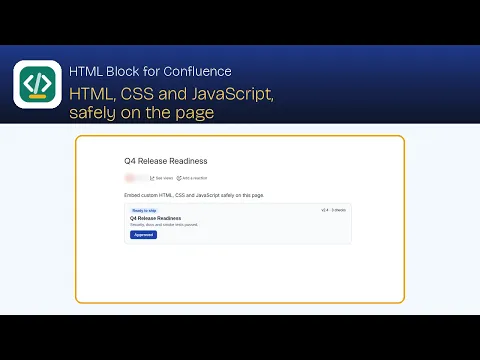
A real code editor, not a textarea
HTML, CSS and JS tabs with syntax highlighting, line numbers and undo history, plus a live preview that shows exactly what the published page will show. Or render an HTML file attached to the page.
Safety you can see and set
Strict, Standard or Trusted per block, with a banner listing anything removed. Site admins can turn JavaScript off and cap the loosest profile; authors can go stricter, never looser.
Your code never leaves Atlassian
Code is saved in the page itself and every block renders in an isolated sandbox. No content from outside your site, no outside servers, no analytics and no AI. Runs on Atlassian.
Supporting media
More details
Confluence has no safe built-in way to add your own HTML - HTML Block adds one. Insert the macro on any page and a full-screen editor opens with HTML, CSS and JavaScript tabs and a live preview. Or render an HTML file attached to the page, up to 10 MB, and restyle it from the CSS and JS tabs. Each block has a safety profile: Strict, Standard or Trusted. A banner lists anything removed, and the preview explains why JavaScript isn’t running. Site admins set guardrails in Confluence administration: turn JavaScript off site-wide and cap the loosest profile authors may use. Every block renders in an isolated sandbox, and attached files respect each viewer’s permissions. Limits: 100 KB of code per block. Code is saved in the page and nothing leaves Atlassian. Free for up to 10 users, with a 30-day free trial. Setup guide: https://htmlblock.wattlebrooks.com/docs/
Resources
App documentation
Comprehensive set of documentation from the partner on how this app works
Privacy and Security
Privacy and security questionnaire has been filled by the partner
Privacy policy
Atlassian's privacy policy is not applicable to the use of this app. Please refer to the privacy policy provided by this app's partner.
Partner privacy policySecurity program
This app is not part of the Marketplace Bug Bounty program.
Integration permissions
HTML Block - HTML, CSS & JavaScript for Confluence integrates with your Atlassian app
Version information
Version 2.0.0•for Confluence Cloud
- Release date
- Nov 3rd 2026
- Summary
- First release: HTML, CSS and JavaScript blocks on Confluence pages, safely
- Details
- HTML Block macro with HTML, CSS and JS tabs, syntax highlighting, line numbers and undo history
- Live preview that shows exactly what the published page shows
- Safety profiles per block: Strict, Standard and Trusted, with a banner listing anything removed
- Site-wide admin guardrails: turn JavaScript off and cap the loosest safety profile
- Render an HTML file attached to the page, up to 10 MB
- Auto or fixed height, and preview notices for blocked JavaScript and missing file links
- Code saved in the page, every block in an isolated sandbox, nothing leaves Atlassian
- Payment model
- Paid via Atlassian
- License type
- Commercial