OVERALL RATINGS
SUPPORT
- Partner Supported
TRUST SIGNALS
Key highlights of the appWork-log reports Track Time, Payroll & Billable Hours in Jira JSM support
Add work-logs ease in key-board driven
Add Work-logs as key-board driven work-flow (Click cell and then number key and move/save forward with Tab key and move/save nunbers Shift+Tab backward).
Billable Work-hours MS Excel Export
Export to MS Excel with comments and cost in hours, minutes and seconds. Perfect for AI Vibe-coding.
Timer to calculate Vibe-coding with AI in seconds
Timer to calculate AI-coding in seconds and also cost that is employee role based with years of experience.
Supporting media
More details
Designed for large enterprises, municipalities, public sector organizations and other large Jira deployments, particularly in the UK and North America.
Additional focus includes:
- High-speed keyboard-driven data entry for intensive daily use
- Enterprise-grade Microsoft Excel (.xlsx) exports
- Suitable for payroll workflows where Excel is used as an intermediate format before importing data into ERP systems such as SAP
- Efficient handling of large numbers of projects, users and work locations
Organizations with distributed operations—such as railroads, municipalities, utilities, construction companies and franchise businesses—often have employees working across many different locations. These environments benefit from rapid timesheet entry and standardized exports for payroll processing.
Resources
App documentation
Comprehensive set of documentation from the partner on how this app works
Privacy and Security
Privacy and security questionnaire has been filled by the partner
Privacy policy
Atlassian's privacy policy is not applicable to the use of this app. Please refer to the privacy policy provided by this app's partner.
Partner privacy policySecurity program
This app is not part of the Marketplace Bug Bounty program.
Integration permissions
Timesheet for Jira for Railroad integrates with your Atlassian app
Version information
Version 2.20.0•for Jira Cloud
- Release date
- Jul 29th 2026
- Summary
- Minor version update
- Details
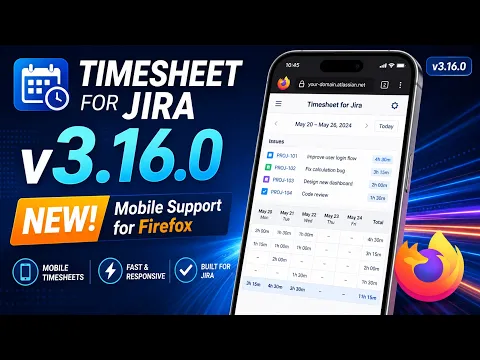
Minor version update: Mobile version Android Phones Firefox.
- Payment model
- Paid via Atlassian
- License type
- Commercial