OVERALL RATINGS
INSTALLS
1
SUPPORT
- Partner Supported
TRUST SIGNALS
Key highlights of the appCreate-issue links and short request forms for Jira: fields prefilled, routing fixed, every issue lands in the right queue
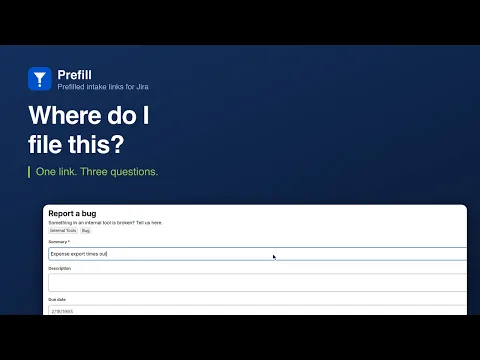
One link, not a Jira tutorial
Paste it in Slack, an email, a runbook or an intranet page. It opens a short form with project, issue type and routing fields already set — the submitter answers the two questions only they can answer.
Broken links are caught before people hit them
A form is checked against Jira’s real create screen when you save it. If a required field is neither filled nor asked for, you are told then — not by a colleague whose request silently failed to file.
Nothing leaves Atlassian
Built on Forge with zero external calls. Issues are created as the person submitting, so Jira’s own permissions apply and the reporter is real. Links and counters live in Forge storage on your own site.
Supporting media
More details
The problem
Everyone has a Jira seat. Almost nobody knows which project, issue type, component, or label the automation keys off. So requests arrive in Slack instead, and somebody re-types them.
What Prefill does
Build a form once, share a link. Pick the project and issue type, fix the fields that decide routing, ask for the two or three things you actually need. The rest is applied invisibly on submission. Paste the link in Slack, an email signature, a runbook or an alert.
It cannot quietly break. Forms are validated against Jira’s live create screen when saved and on every submission, so a removed field or retired option is reported to the owner with the fix named. Field shapes come from Jira’s create metadata, never guessed.
Good to know
Submitters are your own Jira users, signed in, with permission to create issues in the target project - the colleague who has a seat but not the training. Prefill is not a portal for people outside your site.
Resources
App documentation
Comprehensive set of documentation from the partner on how this app works
Privacy and Security
Privacy and security questionnaire has been filled by the partner
Privacy policy
Atlassian's privacy policy is not applicable to the use of this app. Please refer to the privacy policy provided by this app's partner.
Partner privacy policySecurity program
This app is not part of the Marketplace Bug Bounty program.
Integration permissions
Prefill — Request Forms & Create-Issue Links for Jira integrates with your Atlassian app
Version information
Version 2.1.0•for Jira Cloud
- Release date
- Sep 9th 2026
- Summary
- First public release: prefilled intake links and short request forms for Jira.
- Details
First public release: prefilled intake links and short request forms for Jira. Build a form once, share its link, and the issue lands in the right project with the routing fields already set. Forms are validated against Jira’s live create screen when saved and on every submission. Zero external calls.
- Payment model
- Paid via Atlassian
- License type
- Commercial