Free app
OVERALL RATINGS
INSTALLS
15
SUPPORT
- Partner Supported
TRUST SIGNALS
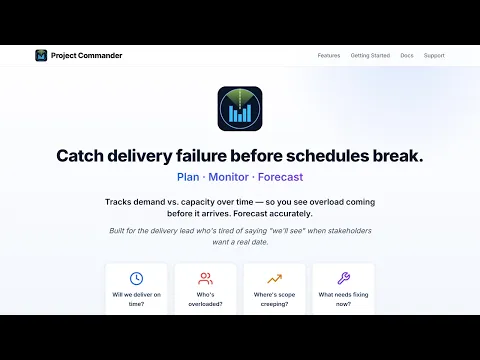
Key highlights of the appAsk your Jira project in plain English. Delivery forecasting, capacity planning, sprint planning and timeline for Jira
A Delivery Date, and the Odds of Hitting It
A finish date, the chance of meeting your target and a likely range, for every capacity and dependency choice. Work too big for the planned sprints reads Does not fit the plan, with how much more is needed.
Jira Capacity Planning, Person by Person
Sprint capacity planning that compares demand to each person’s real capacity, with leave and holidays already subtracted. Every sprint is marked Deliverable, Tight or Overcommitted, active ones on the days still ahead.
Ask a Question, Get the App’s Own Figures
Ask in plain words - will we finish by the target date, which sprints are overcommitted, what would one more person do - and the Ask sidebar answers with calculated figures, not AI guesses. Nothing is written to Jira.
Supporting media
More details
Ask your project a question in plain words, such as “Will we finish by the target date?” or “Which sprints are overcommitted?” and the Ask sidebar answers with calculated figures, not AI guesses.
An add-on for Jira, not a replacement for it. It reads sprints, issues, estimates, people, time off and dependencies to answer one question: can this be delivered in the time and capacity you have?
A delivery date, the odds of hitting your target and a likely range, for every capacity and dependency choice, or Does not fit the plan when the sprints are too small.
Capacity planning, person by person: demand against each person’s real capacity, less leave and holidays. Every sprint: Deliverable, Tight or Overcommitted.
What-if scenarios and Monte Carlo simulation give the odds of finishing on target. Auto-Level rebalances overloaded sprints; Alerts, Risks and Critical Chain flag what threatens it.
Scope, epics and every project’s health in one table; a Timeline tab draws the forecast as a Gantt.
Resources
App documentation
Comprehensive set of documentation from the partner on how this app works
Privacy and Security
Privacy policy
Atlassian's privacy policy is not applicable to the use of this app. Please refer to the privacy policy provided by this app's partner.
Partner privacy policySecurity program
This app is not part of the Marketplace Bug Bounty program.
Integration permissions
Project Commander: Set Capacity, Plan, Forecast, and Ask integrates with your Atlassian app
Version information
Version 7.48.0•for Jira Cloud
- Release date
- Oct 16th 2026
- Summary
- Ask becomes a sidebar with no AI; the forecast stops at the last planned sprint
- Details
Ask is now a sidebar, shown and hidden by the last control in the tab bar on every tab. No AI model is asked anything: every figure and every sentence is the app’s own, so the same question always gets the same answer. Ask changes nothing in Jira.
The forecast counts only the capacity the plan has. Work that does not fit in the planned sprints reads Does not fit the plan, with how much does not fit and roughly what to add.
Every AI feature has been removed, Settings → AI Features with them, and the app declares no address outside Atlassian.
The capacity still ahead of a running sprint is worked out from each person’s typed weeks, in whole days, and a day both booked off and a holiday is taken off once. A person’s capacity typed on one project’s Team & Capacity tab is saved for them on every other project counting in the same unit. Program view adds up each project on its own settings. Fixes on the Sprints, Team & Capacity, Scope, Alerts and What-If tabs.
- Payment model
- Free
- License type
- Atlassian Closed-Source