Free app
OVERALL RATINGS
INSTALLS
16
SUPPORT
- Partner Supported
TRUST SIGNALS
Key highlights of the appAsk your Jira project in plain English. Delivery forecasting, capacity planning, sprint planning and timeline for Jira
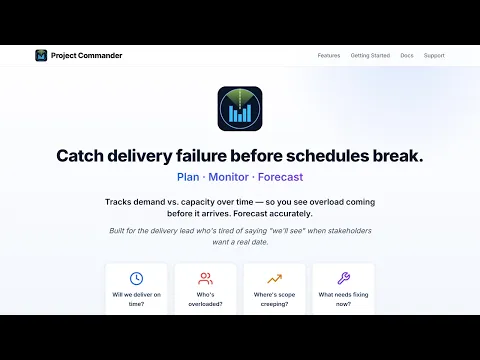
A Delivery Date, and the Odds of Hitting It
A finish date, the chance of meeting your target and a likely range, for every capacity and dependency choice. Work too big for the planned sprints reads Does not fit the plan, with how much more is needed.
Jira Capacity Planning, Person by Person
Sprint capacity planning that compares demand to each person’s real capacity, with leave and holidays already subtracted. Every sprint is marked Deliverable, Tight or Overcommitted, active ones on the days still ahead.
Ask a Question, Get the App’s Own Figures
Ask in plain words - will we finish by the target date, which sprints are overcommitted, what would one more person do - and the Ask sidebar answers with calculated figures, not AI guesses. Nothing is written to Jira.
Supporting media
More details
Ask your project a question in plain words, such as “Will we finish by the target date?” or “Which sprints are overcommitted?” and the Ask sidebar answers with calculated figures, not AI guesses.
An add-on for Jira, not a replacement for it. It reads sprints, issues, estimates, people, time off and dependencies to answer one question: can this be delivered in the time and capacity you have?
A delivery date, the odds of hitting your target and a likely range, for every capacity and dependency choice, or Does not fit the plan when the sprints are too small.
Capacity planning, person by person: demand against each person’s real capacity, less leave and holidays. Every sprint: Deliverable, Tight or Overcommitted.
What-if scenarios and Monte Carlo simulation give the odds of finishing on target. Auto-Level rebalances overloaded sprints; Alerts, Risks and Critical Chain flag what threatens it.
Scope, epics and every project’s health in one table; a Timeline tab draws the forecast as a Gantt.
Resources
App documentation
Comprehensive set of documentation from the partner on how this app works
Privacy and Security
Privacy and security questionnaire has been filled by the partner
Privacy policy
Atlassian's privacy policy is not applicable to the use of this app. Please refer to the privacy policy provided by this app's partner.
Partner privacy policySecurity program
This app is not part of the Marketplace Bug Bounty program.
Integration permissions
Project Commander: Set Capacity, Plan, Forecast, and Ask integrates with your Atlassian app
Version information
Version 7.53.0•for Jira Cloud
- Release date
- Nov 4th 2026
- Summary
- Ask answers checked against every screen; velocity read from the board only
- Details
Every figure the Ask sidebar gives was checked against the screen that shows it, and each answer that disagreed now reads that screen’s own figure. The running sprint is the one Jira has open.
Velocity is read only from the board’s newest closed sprints, as many as the project’s Lookback, on every tab, and each closed sprint is measured from its start date to its end date.
A week with nothing typed for a person reads their own rate instead of 0, and a person’s allocation total is one figure.
Work blocked by an issue in another project waits for it on every screen, with the blocker’s date, read from Jira’s own links; the typed Cross-Project Dependencies section is gone. Expected slip and Estimate Accuracy are gone.
On the Alerts tab, “and N more” opens the rest of a check’s findings, and Carried over more than once now counts. A save Jira refuses is said on screen. Fixes on every tab.
- Payment model
- Free
- License type
- Atlassian Closed-Source