OVERALL RATINGS
INSTALLS
13
SUPPORT
- Partner Supported
Key highlights of the appSecure, per-user MCP access to Confluence - search, read, create, and comment, scoped to each user’s own permissions
Scope MCP access by space
Admins choose which spaces AI clients can search and read - allow all spaces, allow only selected ones, or exclude specific spaces - plus an optional CQL filter, with a live preview before saving.
Connect Claude Desktop in two steps
Users generate a personal session token on the Connect MCP page, then paste the ready-made config snippet into their MCP client to start searching and reading Confluence with their own permissions.
A secure proxy, not a shared key
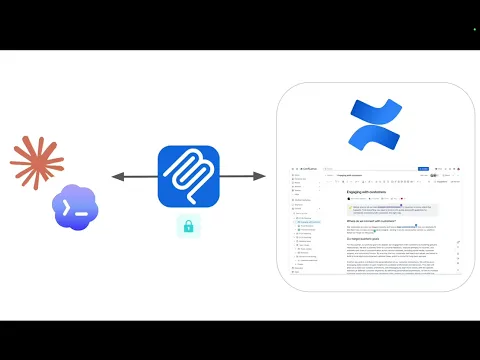
The app sits between AI agents and Confluence, authenticating each request with the user's own token and calling the Confluence REST API as that user - never a shared service account.
Supporting media
More details
Secure MCP Server for Confluence connects AI assistants such as Claude Desktop to your Confluence content without a shared API key. Every call runs as the requesting user via their own session token - the AI can never see or change more than that person already could.
Admins get fine-grained control from one settings page: restrict content by space and CQL with a live preview, and independently switch off Read, Page-editing, or Comment tools site-wide, no redeploy needed.
Page and comment content is scanned for hidden instruction-like markup before it reaches the AI client and flagged as untrusted data - closing a common indirect prompt-injection vector.
Every tool call is logged (who, what, target, allow/deny) and retained 30 days, exportable to CSV. Session tokens self-expire after 90 days and admins can revoke any user's session instantly for fast offboarding.
Resources
App documentation
Comprehensive set of documentation from the partner on how this app works
Privacy and Security
Privacy and security questionnaire has been filled by the partner
Privacy policy
Atlassian's privacy policy is not applicable to the use of this app. Please refer to the privacy policy provided by this app's partner.
Partner privacy policySecurity program
This app is not part of the Marketplace Bug Bounty program.
Integration permissions
Secure MCP for Confluence integrates with your Atlassian app
Version information
Version 5.6.0•for Confluence Cloud
- Release date
- Aug 4th 2026
- Summary
- Minor version update
- Details
- Minor version update
- Payment model
- Paid via Atlassian
- License type
- Commercial