OVERALL RATINGS
INSTALLS
92
SUPPORT
- Partner Supported
TRUST SIGNALS
Key highlights of the appMultiple estimates per issue: time tracking custom fields for Dev and QA work, with a timer, a timesheet and dashboard gadgets
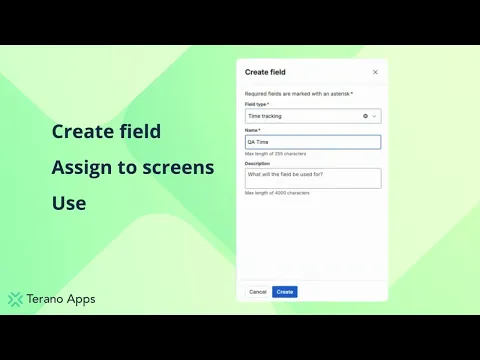
Separate estimates for Dev, QA and contract work
Add several Time Tracking fields to one work item, each with its own estimate, remaining time and worklogs, or a Duration field for a single value. Search every field in JQL and sum them into Jira's own time tracking.
Log time with a timer, review it in a timesheet
Start a timer in a field's dialog. Stop it and the elapsed time fills in Time spent, ready to save (an admin turns the timer on per project). The timesheet shows your own week: native and field worklogs in one grid.
Budget burn and team time on your dashboards
Four gadgets for the app's fields: Budget burn (estimate vs time spent), team time by user, time per project and time per field. Export field worklogs to CSV with a billable flag. Native Jira worklogs are not counted.
Supporting media
More details
Time Tracking Fields extends Jira's native time tracking instead of replacing it. Each estimate gets its own field (Dev, QA, contract) with original, remaining and spent time, like Jira's own field.
- Multiple time tracking fields per issue, plus a Duration field for one value such as an SLA limit
- Start a timer and log the elapsed time
- Review your week in a timesheet with native and field worklogs
- Mark worklogs billable and export them to CSV
- Four dashboard gadgets: Budget Burn, team time, time per project and per field
- Search in JQL and sync to native Time Tracking
- Require time to be logged before a transition
Free for up to 10 users, 30-day trial.
📚 Documentation | 🛠 Support
Resources
App documentation
Comprehensive set of documentation from the partner on how this app works
Privacy and Security
Privacy and security questionnaire has been filled by the partner
Privacy policy
Atlassian's privacy policy is not applicable to the use of this app. Please refer to the privacy policy provided by this app's partner.
Partner privacy policySecurity program
This app is not part of the Marketplace Bug Bounty program.
Integration permissions
Time Tracking Fields - Estimates and Timesheet for Jira integrates with your Atlassian app
Version information
Version 5.23.0•for Jira Cloud
- Release date
- Nov 17th 2026
- Summary
- Customer portal and reports that find every entry
- Details
Both fields now work in the Jira Service Management customer portal, and reports find every work log entry.
- Customer portal — customers and guests enter a Duration on the request form and see the Time Tracking field on the request page.
- Every entry counted — Team time, Cross-project time and the Timesheet find all entries in the range; existing work logs are indexed in the background.
- Safer saves — time logged while a transition screen is open is kept, and a repeated save never logs twice.
- Timer — Stop fills in the day the timer started.
- Clearer screens — Custom work log lists the newest entries first; clearer messages and accessible names.
- Payment model
- Paid via Atlassian
- License type
- Commercial