OVERALL RATINGS
SUPPORT
- Partner Supported
TRUST SIGNALS
Key highlights of the appTemplates that fire wherever you create work items, with whole epic-to-sub-task trees, placeholders and prompted variables
Supporting media
More details
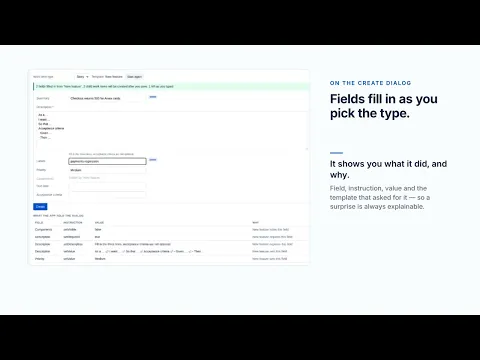
Stencil applies issue templates wherever work items are actually created: live on the global create dialog, and seconds later on the backlog, the board, a child created from an epic, the mobile apps, the JSM portal, CSV import, REST and Automation.
A template can be a whole tree — epic to story to sub-task, up to 300 work items and four levels deep. Applying the same template twice creates nothing extra, and a run interrupted halfway resumes instead of leaving orphaned children behind.
One edition, everything included: a default template per work item type and per JSM request type, JQL conditions, site templates shared across projects, placeholders, prompted variables, usage reports and an audit log. Free for 10 users or fewer, then US$0.79 per user per month.
Runs entirely on Atlassian Forge: no external services, no egress, no data leaving your Atlassian site.
Resources
App documentation
Comprehensive set of documentation from the partner on how this app works
Privacy and Security
Privacy and security questionnaire has been filled by the partner
Privacy policy
Atlassian's privacy policy is not applicable to the use of this app. Please refer to the privacy policy provided by this app's partner.
Partner privacy policySecurity program
This app is not part of the Marketplace Bug Bounty program.
Integration permissions
Stencil Issue Templates for Jira integrates with your Atlassian app
Version information
Version 2.11.0•for Jira Cloud
- Release date
- Sep 24th 2026
- Summary
- Labelled variables apply again, plus consistent naming and publisher
- Details
A template with a labelled variable could never be applied by hand: the Apply button stayed permanently disabled. It works now, and the case is pinned by a test so it cannot come back quietly.
A run that created nothing is now reported as failed rather than partly applied, and a landed import no longer reads as a failure when it is retried.
A project whose default assignee Jira refuses to assign no longer stops the whole run.
When Jira refuses a work item, the app says why instead of showing only a status code.
Every surface inside Jira now carries the Stencil Issue Templates name, matching the listing, with the app's own icon.
The publisher and support contact are the business ones rather than a personal address.
- Payment model
- Paid via Atlassian
- License type
- Commercial