OVERALL RATINGS
INSTALLS
2
SUPPORT
- Partner Supported
TRUST SIGNALS
Key highlights of the appCreate Mermaid diagrams in Confluence with live preview, syntax validation, templates, version history and SVG/PNG export
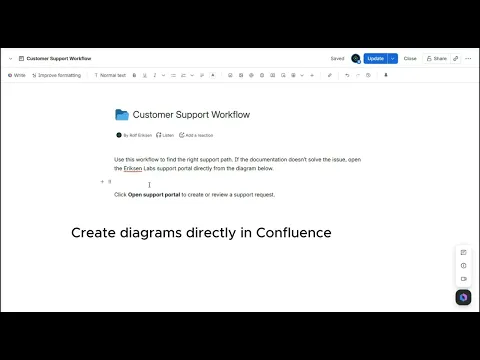
An editor that doesn't fight you
Syntax highlighting, live preview and eight starter templates. A built-in reference explains the syntax for whichever diagram type you're editing. Broken syntax is caught before you save — not after it reaches the page.
Diagrams people can actually use
Zoom, fit and full screen for large diagrams. Download as SVG or PNG, or copy the image straight to your clipboard. Nodes can link to Confluence pages and Jira issues.
No more pasted screenshots
Diagrams are text, so they live in the page and change with it. Edit one line, republish, done — no re-exporting from a separate tool, and no stale images nobody can update.
Supporting media
More details
Mermaid Studio turns plain text into diagrams inside Confluence: flowcharts, sequence diagrams, ERDs, Gantt charts, class and state diagrams, pie charts and mind maps.
Most Mermaid tools give you an empty box and expect you to know the syntax. This one gives you a real editor: syntax highlighting, live preview, eight starter templates, and a reference that changes with your diagram type. Broken syntax is caught before you save, and the last five versions of every diagram are kept.
Diagrams zoom, fit to width and open full screen. Export as SVG or PNG, or copy the image straight to your clipboard. Nodes can link to Confluence pages and Jira issues.
The app requests no permission scopes at all. Diagrams render in your browser and are stored in the Confluence page itself — nothing is sent to any external service.
Support: support@eriksenlabs.com, answered within two business days. Response targets at eriksenlabs.com/sla.
Resources
App documentation
Comprehensive set of documentation from the partner on how this app works
Privacy and Security
Privacy and security questionnaire has been filled by the partner
Privacy policy
Atlassian's privacy policy is not applicable to the use of this app. Please refer to the privacy policy provided by this app's partner.
Partner privacy policySecurity program
This app is not part of the Marketplace Bug Bounty program.
Version information
Version 2.1.0•for Confluence Cloud
- Release date
- Jul 31st 2026
- Summary
- Write diagrams as text in Confluence, with a real editor.
- Details
First public release.
Write flowcharts, sequence diagrams, ERDs, Gantt charts, class and state diagrams, pie charts and mind maps as plain text inside Confluence.
Editor
- Syntax highlighting and live preview
- Eight starter templates
- Built-in syntax reference that follows your diagram type
- Invalid diagrams cannot be saved
- Revert, plus the last five saved versions of each diagram
Viewing
- PDF exports include your rendered diagrams
- Zoom, fit to width and full screen
- Light and dark themes that follow Confluence, or a fixed theme per diagram
- Download as SVG or PNG, or copy the image to your clipboard
- Copy diagram source in one click
- Alt text for screen readers
Linking
- Diagram nodes can open Confluence pages and Jira issues
Security
- No permission scopes requested
- Diagrams render in your browser and are stored in the Confluence page itself
- Nothing is sent to any external service
- Payment model
- Paid via Atlassian
- License type
- Commercial