OVERALL RATINGS
INSTALLS
1
SUPPORT
- Partner Supported
TRUST SIGNALS
Key highlights of the appDeep clone work items and bulk clone a search, including between team-managed and company-managed projects
More details
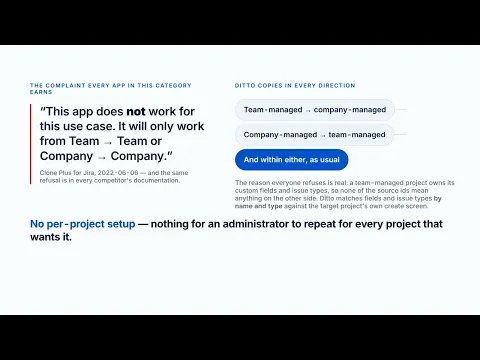
Clones between team-managed and company-managed projects — every other app in this category refuses. A team-managed project owns its custom fields and issue types, so none of the source ids mean anything on the other side. Ditto matches fields and issue types by name and type against the target’s own create screen.
It tells you what will not come across before it writes anything: every field with no home in the target, every attachment over the size limit, every issue type it had to substitute. The job log then says which work item failed, and why.
Attachments are copied. Links between two copied work items point at the copies, and are created once rather than once per end. A copied sub-task hangs off the copied parent, not the original.
No per-project setup at all. Runs on Atlassian: no external fetch permission of any kind.
Free for up to 10 users, then US$0.55 per user per month, less in every band above 100. One edition; everything included.
Resources
App documentation
Comprehensive set of documentation from the partner on how this app works
Privacy and Security
Privacy and security questionnaire has been filled by the partner
Privacy policy
Atlassian's privacy policy is not applicable to the use of this app. Please refer to the privacy policy provided by this app's partner.
Partner privacy policySecurity program
This app is not part of the Marketplace Bug Bounty program.
Integration permissions
Ditto: Bulk & Deep Clone for Jira integrates with your Atlassian app
Version information
Version 2.10.0•for Jira Cloud
- Release date
- Sep 23rd 2026
- Summary
- The JQL the app hands you for finding a job's clones now works
- Details
The search the app gives you for finding a job's clones returned nothing, every time.
Every clone carries an issue property holding the job id, indexed under the search alias dittoJob, and that part was always working. What was wrong was the one line the app shows at the moment it is being most helpful: it told you to run dittoJob = "<job id>". The property is a text property, and JQL matches a text property with the contains operator, so = never matches one — the JQL was simply the wrong operator.
Verified on a real job with four clones: dittoJob = "<id>" returned 0 results and dittoJob ~ "<id>" returned all four, with the source work item correctly carrying no property at all.
Every place that shows or documents the search now uses ~ : the job list, the single-clone view, the bulk view and both resolver payloads. Nothing about cloning itself changed — the clones were always marked correctly, and clones made before this release are found by the corrected search too.
- Payment model
- Paid via Atlassian
- License type
- Commercial