OVERALL RATINGS
INSTALLS
1
SUPPORT
- Partner Supported
TRUST SIGNALS
Key highlights of the appPrint Jira issues as agile cards, sprint cards, index cards or sticky notes from any sprint, filter or JQL, or save as PDF
Sprint, filter, JQL or keys
Print a board’s sprint, a saved filter, any JQL or pasted issue keys in your order. Start from Apps, a project’s sidebar or the issue menu.
Every size, your fields
1 to 8 cards per A4 or Letter page, 3x5 and 4x6 inch index cards, sticky notes. Pick fields, custom fields, description lines, QR codes and colour bands.
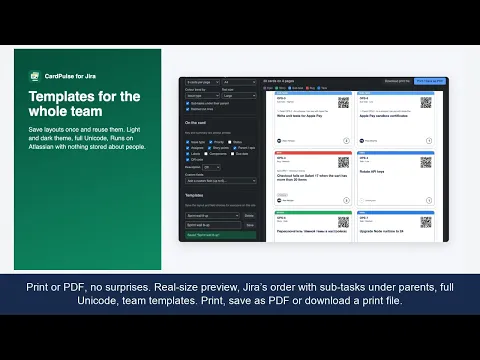
Print or PDF, no surprises
Real-size preview, Jira’s order with sub-tasks under parents, full Unicode, team templates. Print, save as PDF or download a print file.
Supporting media
More details
CardPulse turns Jira issues into printable cards for physical scrum and kanban boards, workshops and sprint planning. Choose the issues: a board’s active or future sprint, a saved filter, any JQL or a list of issue keys. Choose the layout: 1, 2, 4, 6 or 8 cards per A4 or Letter page, 3x5 or 4x6 inch index cards, or sticky-note squares, with dashed cut lines. Choose the fields: type, priority, status, assignee initials, story points, parent or epic, labels, components, due date, description lines and up to six custom fields. Add a QR code that opens the issue and a colour band by type, priority or label. Cards keep Jira’s order, with sub-tasks under their parent. Save layouts as templates for the team. Runs on Atlassian: no external calls, nothing stored about people.
Resources
App documentation
Comprehensive set of documentation from the partner on how this app works
Privacy and Security
Privacy and security questionnaire has been filled by the partner
Privacy policy
Atlassian's privacy policy is not applicable to the use of this app. Please refer to the privacy policy provided by this app's partner.
Partner privacy policySecurity program
This app is not part of the Marketplace Bug Bounty program.
Integration permissions
CardPulse – Print Agile Cards & Sprint Cards for Jira integrates with your Atlassian app
Version information
Version 2.0.0•for Jira Cloud
- Release date
- Oct 30th 2026
- Summary
- Print sprints, filters and JQL as agile wall cards, index cards or PDF
- Details
First release: Print cards global page and project page, Print card issue action (with sub-tasks); sources: JQL, saved filter, board sprint (active/future), issue keys in typed order; layouts: 1/2/4/6/8 per A4 or Letter page, 3x5 and 4x6 in index cards, 3x3 in sticky notes; fields incl. assignee initials, story points, parent/epic, labels, components, due date, description lines and up to 6 custom fields; QR code to the issue; colour band by type, priority or label; print save as PDF and standalone print file; shared templates; dark mode.
- Payment model
- Paid via Atlassian
- License type
- Commercial