OVERALL RATINGS
INSTALLS
2
SUPPORT
- Partner Supported
TRUST SIGNALS
Key highlights of the appAuto-cascade Jira priority ranks: board position, status, swimlane based with native rank sync, Runs on Atlassian
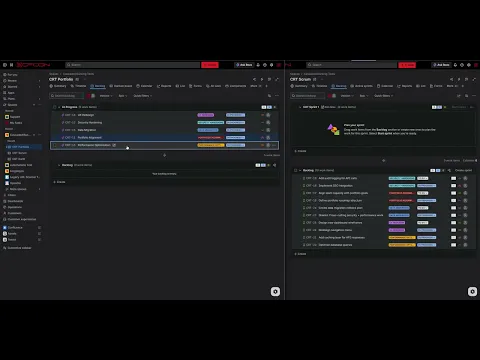
Cascade portfolio order into Jira's native rank
A portfolio-level cascade writes ranks into Jira's native rank field and a custom number field, ordered by status, swimlane and position. Team boards keep day-to-day autonomy until the next cascade re-syncs.
See your portfolio rank as a numbered hierarchy
The Rank Map renders cascaded ranks as a priority hierarchy: swimlanes on top, epics ranked numerically inside, child issues inheriting parent rank. One source of truth for portfolio reviews and cross-project reports.
Preview every rank change before it touches Jira
What-If Simulation lets you drag-reorder epics across priority bands and see the new ranks before they hit Jira. It is a sandbox: exit at any time and nothing is written to Jira. Team boards stay intact.
Supporting media
Editions
This app offers two different editions - Standard and Advanced. You can start a free trial of either edition, and change your edition anytime during or after the trial.
Standard
Onboard your team and scale fast
Includes:
Cascade Configuration
Manual Sync
Up to 3 Cascades
Scheduled Sync (1 cascade)
Visual Rank Map
Advanced
Unlock the full range of app features
Everything from Standard, plus:
Unlimited Cascades
Unlimited Scheduled Syncs
Swimlane Modes (JQL)
Cascade Health Score
What-If Simulation
More details
One portfolio order, everywhere in Jira. Rank Cascading calculates priority from your portfolio board layout (status, swimlane, position) and writes it into Jira's native rank field plus a custom number field. Backlogs, sprints, plans, dashboards, gadgets and JQL all respect the same order.
- Writes Jira's native rank so the order propagates everywhere Jira uses rank
- Plus a custom number field for queryable dashboards and cross-project reports
- Team boards keep autonomy: re-order locally for ad-hoc work, the next cascade re-syncs from the portfolio board
- Cascades to child issues, so epics, stories and subtasks share priority
- Scheduled or on-demand syncs, with What-If Simulation before changes hit Jira
- Forge-native: scopes minimal and auditable
Try free for 30 days. Watch the demo.
Resources
App documentation
Comprehensive set of documentation from the partner on how this app works
Privacy and Security
Privacy policy
Atlassian's privacy policy is not applicable to the use of this app. Please refer to the privacy policy provided by this app's partner.
Partner privacy policySecurity program
This app is not part of the Marketplace Bug Bounty program.
Integration permissions
Rank Cascading for Jira integrates with your Atlassian app
Version information
Version 5.0.0•for Jira Cloud
- Release date
- Sep 28th 2026
- Summary
- Required scopes changed
- Details
Jira administrators can now decide for each cascade who may run its sync.
- Sync permissions: add users and groups in the cascade form. Listed users and group members can start, follow and cancel that cascade's sync. Only Jira administrators can see and edit the lists.
- Optional: let project administrators of all spaces a cascade writes to run its sync. Their syncs never write outside those spaces.
- Jira administrators can always sync. Cleanups stay with Jira administrators, and the scheduled sync is unchanged.
- New permission read:jira-user, used only for the user and group search, showing names and checking group membership. Cascades store only account and group IDs.
Action required: approve the update in Manage apps. Until then, your site keeps running 4.14.0. Your cascades and settings are kept.
Using issue security levels? Add the app user "Rank Cascading for Jira" as a single user to each level, not "Application access".
- Payment model
- Paid via Atlassian
- License type
- Commercial