INSTALLS
No installs yet
SUPPORT
- Partner Supported
TRUST SIGNALS
Key highlights of the appShow, hide, require, lock and pre-fill Jira fields by rule, with a tester that shows why each rule ran and where it works
See why each rule ran before you save it
Pick a view, project, work type and person, enter sample values, and see which fields each rule changes. Every rule says ran, or did not run and why: condition not met, not set to run there, or turned off.
Every rule reads as a plain sentence
Each rule shows its condition as a sentence, the change it makes, its projects and work types, and labels for the views it is used on. Rules run top to bottom, and Move up and Move down set the order.
Each rule says where it works, and why not
Pick projects, work types and views. A view that cannot run in the chosen projects is greyed out with the reason, and labels say where the rule works and where Jira does not allow that change.
Supporting media
More details
Shadavo lets a Jira administrator change what Jira's own forms show, by rule: when this is picked, or when this person is asking, do that to these fields.
• Show or hide, require, lock, fill in, rename, change help text, or show only some options
• Conditions on field values, work type, project, status and the person (group, role, reporter, assignee, named people)
• Seen working: Create, the work item view, transitions that have a screen, and the agents' Create dialog and work item view. The customer portal and agent transitions are marked "not yet verified"
• A rule tester, labels for where each rule works, conflict warnings
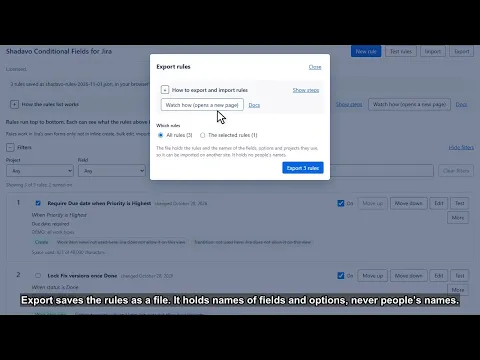
• Export and import, 30-day undo, Remove all rules from Jira
Rules do not apply to inline create, bulk edit, CSV import, email, automation, the mobile app or REST. A hidden field is not a secret one. Runs on Atlassian; no outside servers.
Resources
App documentation
Comprehensive set of documentation from the partner on how this app works
Privacy and Security
Privacy and security questionnaire has been filled by the partner
Privacy policy
Atlassian's privacy policy is not applicable to the use of this app. Please refer to the privacy policy provided by this app's partner.
Partner privacy policySecurity program
This app is not part of the Marketplace Bug Bounty program.
Integration permissions
Shadavo Conditional Fields for Jira integrates with your Atlassian app
Version information
Version 2.1.0•for Jira Cloud
- Release date
- Nov 1st 2026
- Summary
- First release: conditional field rules for Jira's own forms, with a tester
- Details
First release of Shadavo Conditional Fields for Jira.
• Rules that show or hide, require, lock, fill in, rename or re-describe fields, or show only some options, in Jira's Create dialog, the work item view of software projects, transition screens, and the agents' Create dialog and work item view.
• Conditions on field values, work type, project, status and the person, "all of these" or "any of these", three levels deep.
• A rule tester, labels for where each rule works, conflict warnings.
• Export and import, earlier versions and recently deleted rules for 30 days.
Not yet verified: the customer portal and agent transitions. Set value is not offered on date-and-time fields.
Limits: rules do not apply outside Jira's dialogs (inline create, bulk edit, import, email, automation, the mobile app, REST), and a hidden field is not a secret one.
Before uninstalling, press Remove all rules from Jira: Jira keeps an app's rules after an uninstall.
- Payment model
- Paid via Atlassian
- License type
- Commercial