OVERALL RATINGS
INSTALLS
4
SUPPORT
- Partner Supported
TRUST SIGNALS
Key highlights of the appFilter, pivot and chart any Confluence table or CSV file with one macro, and let readers explore it without edit rights
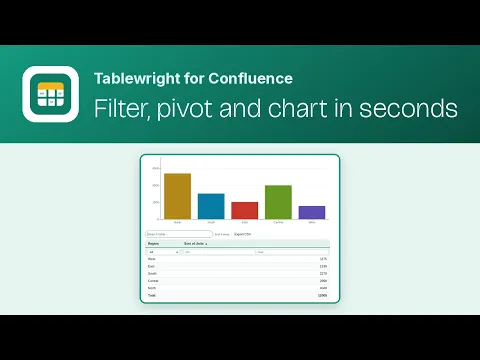
Use the data already on your page
Pick any table on the page and it stays live as people edit it. Or use an attached CSV, TSV or JSON file up to 4 MB, or paste up to 200 rows straight into the macro.
Filter, pivot and chart in one macro
Save text, pick-list, number and date filters, group and split with Sum, Count, Average, Min, Max or Median, then show a table, a chart or both. No nested macros to manage.
Readers explore without edit rights
Anyone who can view the page can sort, filter, search, page and export CSV. Their changes are temporary, and each person only sees data they are already allowed to open.
More details
Confluence tables are easy to make and hard to use: you cannot filter, total or chart them without exporting to a spreadsheet. Tablewright fixes that with a single macro. Choose a source (a table on the page, an attached CSV, TSV or JSON file, or pasted data), add saved filters, optionally pivot, and pick a table, a chart (column, bar, stacked bar, line, area, pie, donut or KPI cards) or both. Handles up to 10,000 rows. Data is read with each viewer’s own permissions and never stored or sent anywhere. Runs on Atlassian eligible.
Resources
App documentation
Comprehensive set of documentation from the partner on how this app works
Privacy and Security
Privacy and security questionnaire has been filled by the partner
Privacy policy
Atlassian's privacy policy is not applicable to the use of this app. Please refer to the privacy policy provided by this app's partner.
Partner privacy policySecurity program
This app is not part of the Marketplace Bug Bounty program.
Integration permissions
Tablewright - Filter, Pivot & Chart Tables integrates with your Atlassian app
Version information
Version 2.2.0•for Confluence Cloud
- Release date
- Nov 11th 2026
- Summary
- Tablewright logo in the macro browser and editor
- Details
- The Tablewright macro now shows the Tablewright logo in Confluence's macro browser and editor, instead of a default icon
- The macro title uses a plain hyphen: Tablewright - Filter, Pivot & Chart
- Payment model
- Paid via Atlassian
- License type
- Commercial