OVERALL RATINGS
INSTALLS
5
SUPPORT
- Partner Supported
TRUST SIGNALS
- Requires
- JIRA
- Works with
- CONFLUENCE
Key highlights of the appJira Cloud admin toolkit: 18 scanners find configuration debt, broken workflows and stale data, Runs on Atlassian
Jira instance health and findings at a glance
Health Score gauge, findings breakdown across all scanners, trend over time and recent scan activity. Run all scans, export reports, or push results to Confluence in one click.
Visualize a Jira project's config as a graph
Deep Scan maps the schemes, screens, fields and roles behind every Jira project. Switch between table and force-directed graph to spot config drift, broken links and orphaned elements instantly.
Take action with the Management Suite
Don't just find issues, fix them. Bulk archive projects, merge custom fields, anonymize users, manage schemes for permissions, notifications, workflows and screens, and ship JSM-specific cleanups.
Supporting media
Editions
This app offers two different editions - Standard and Advanced. You can start a free trial of either edition, and change your edition anytime during or after the trial.
Standard
Onboard your team and scale fast
Includes:
Deep Scan Drill-Down
Diagnosis Engine
CSV Export
Confluence Export
Custom Field Manager
Advanced
Unlock the full range of app features
Everything from Standard, plus:
All Admin Tools
Treatment Plans
Execute Changes
Bulk Operations
Rovo AI Analysis
More details
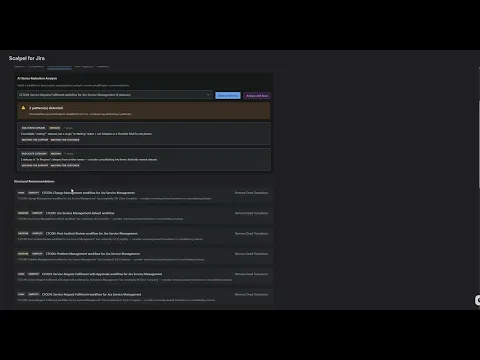
Audit your Jira configuration in minutes, not weeks. Scalpel scans your entire instance, scoring findings by severity and cost impact based on your Jira plan. Every cleanup plan ships with built-in rollback, so every change is reversible.
- 8 dimensions: workflows, screens, schemes, fields, permissions, security, automation, projects
- Cost impact per finding, so you prioritise the cleanups that save the most
- Cleanup plans with rollback: every change is reversible, no surprise drift
- Forge SQL storage: scan history stays inside your Atlassian Cloud instance
Why audit Jira config? Unused workflows, redundant schemes and orphaned fields silently slow your instance and inflate licensing tiers. Try free for 30 days. Workflow Manager demo | Space Manager demo
Resources
App documentation
Comprehensive set of documentation from the partner on how this app works
Privacy and Security
Privacy policy
Atlassian's privacy policy is not applicable to the use of this app. Please refer to the privacy policy provided by this app's partner.
Partner privacy policySecurity program
This app is not part of the Marketplace Bug Bounty program.
Integration permissions
Scalpel For Jira integrates with your Atlassian app
Version information
Version 5.11.0•for Jira Cloud
- Release date
- Sep 24th 2026
- Summary
- Minor version update
- Details
- Minor version update
- Payment model
- Paid via Atlassian
- License type
- Commercial