OVERALL RATINGS
INSTALLS
274
SUPPORT
- Partner Supported
TRUST SIGNALS
Key highlights of the appJira time tracking, timesheets, worklog approvals, cost tracking & reporting — powered by Rovo AI, data stays in Jira
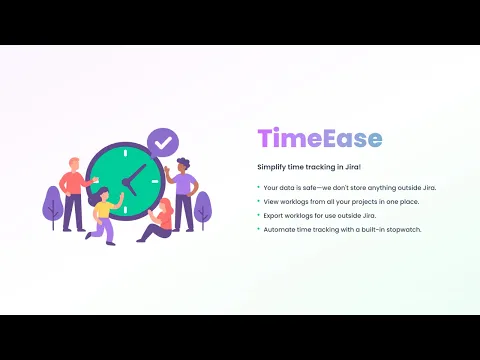
Worklogs in One Place
Instantly view, filter, and export worklogs across all projects. Get full visibility and control over your team's time.
Effortless Time Tracking
Capture every minute with our built-in stopwatch time tracker. Start, pause, and log time automatically to your issues.
Your Data Stays Yours
TimeEase keeps your data 100% inside Jira — no external storage. Fully secure and compliant.
Supporting media
Editions
This app offers two different editions - Standard and Advanced. You can start a free trial of either edition, and change your edition anytime during or after the trial.
Standard
Onboard your team and scale fast
Includes:
Worklog View
Timesheet View
Insights Tab
Built-in Stopwatch
Basic Export (CSV)
Advanced
Unlock the full range of app features
Everything from Standard, plus:
Feature Analytics
Capacity Management and Worklog Approval
More details
TimeEase is a fast, secure Jira time tracker and timesheet app, built for effortless worklog management and clear reporting — without leaving Jira.
It works as a Jira timesheet viewer, worklog manager, and stopwatch time tracker, with worklog approvals and cost tracking available as your team grows.
🤖 Rovo AI for Jira Worklogs
Ask natural-language questions about worklogs, costs, and team activity — get instant answers without building a single report.
🔒 Jira Data Privacy & Compliance
All data stays inside your Jira instance. No external storage, full compliance with your organization's data governance policies.
Start with Free and upgrade as your team grows:
🆓 Free: timesheets, stopwatch, insights, CSV export
⚙️ Standard: worklog editing, approvals, analytics, shared reports
💰 Advanced: cost tracking, budgeting, and resource planning
Resources
App documentation
Comprehensive set of documentation from the partner on how this app works
Privacy and Security
Privacy policy
Atlassian's privacy policy is not applicable to the use of this app. Please refer to the privacy policy provided by this app's partner.
Partner privacy policySecurity program
This app is not part of the Marketplace Bug Bounty program.
Integration permissions
TimeEase - Time Tracker, Timesheet & Worklog Viewer for Jira integrates with your Atlassian app
Version information
Version 5.23.0•for Jira Cloud
- Release date
- Sep 24th 2026
- Summary
- Improved Timesheet Editing
- Details
Version 5.23.0
✏️ Improved Timesheet Editing — A smoother and more intuitive experience for editing logged time directly in the timesheet.Previous releases
💡 Issue Insights — Extend the issue panel with estimates, remaining estimate, time spent, participants, and costs.
📊 Configurable Worklog Export — Choose which columns to include when exporting worklogs.
⚡ Quick Log — One-Click Time Logging — Log time directly from the Jira issue view using customizable preset buttons.
🔒 Tab Permissions — Control access to Worklogs, Timesheet, Estimation Insights, Feature Analytics, and Worklog Approvals.
✅ Worklog Approvals — Review, approve, or reject worklogs with user capacity shown.
⚙️ Capacity Baselines — Set weekly capacity and hourly rates for utilisation tracking.
🤖 Rovo Integration — Ask natural-language questions about worklogs, costs, and team activity.
📦 New Editions — Free, Standard, and Advanced plans with trials.
💰 Advanced Edition — Calculate issue, feature, and project costs.- Payment model
- Paid via Atlassian
- License type
- Commercial