OVERALL RATINGS
INSTALLS
71
SUPPORT
- Partner Supported
Key highlights of the appShare Jira work items, boards and filters with clients through secure links. Viewers need no license and can comment back
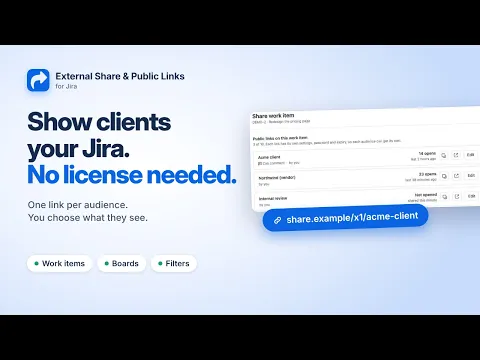
Share Jira work with clients, no seat needed
Send a secure link to a work item, a board with its sprint and backlog, or a saved filter. Viewers open a live page in any browser, with no Jira account, guest seat or extra license to buy.
Give every audience the right view of Jira
Give each client or vendor its own link, with its own content and look. Pick Report for clients, Portal for customers or Wallboard for the office TV, and let viewers comment without a Jira account.
Control access and see when links are opened
Protect a link with a password, let it expire after a day, a week or on a set date, and turn it off in one click. Link activity shows how often and when each link was opened, with nothing recorded about viewers.
Supporting media
More details
Apportunity: External Share & Public Links for Jira lets you share work items, boards and saved filters with people outside your company. They open a secure link in any browser, with no Jira license or account.
Who it's for: agencies reporting to clients, support teams updating customers, and product teams keeping Sales informed.
Work items, boards and filters: sprint, backlog and live filter tables with CSV export
A link per audience: up to 10 per item, each with its own content, password and expiry
Themes: Report for clients, Portal for customers, Wallboard for the office TV, or embed it
Viewer comments: they land on the work item in Jira
Link activity: see when each link was opened
Admin control: who can share, which projects, maximum link lifetime, audit log
Safer than anonymous access: share one item, not a whole project
🔒 Built on Forge: no external servers, no copy of your work items. Free for up to 10 users.
📖 Get started | 🛟 Support | 📅 Book a demo
Resources
App documentation
Comprehensive set of documentation from the partner on how this app works
Privacy and Security
Privacy policy
Atlassian's privacy policy is not applicable to the use of this app. Please refer to the privacy policy provided by this app's partner.
Partner privacy policySecurity program
This app is not part of the Marketplace Bug Bounty program.
Integration permissions
Apportunity: External Share & Public Links for Jira integrates with your Atlassian app
Version information
Version 7.0.0•for Jira Cloud
- Release date
- Oct 15th 2026
- Summary
- Viewer comments, themes, link activity and up to 10 links per item
- Details
💬 Comments from viewers
People you share with can comment without a Jira account. Their comments arrive on the work item in Jira.
🎨 A theme for every audience
Choose Jira, Report for clients, Portal for customers, Wallboard for an office TV or Embed for another website, and add your own accent color.
🔗 Up to 10 links per work item or board
Give each audience its own link, with its own content, look, password and expiry. Turning one off leaves the others working.
📈 Link activity
See how often and when each link was opened, right in the share window.
👀 Preview as viewer
Check exactly what viewers will see before you send the link.
📋 Shared pages that feel like Jira
Boards with your own columns, sprint and backlog, a side panel for any card, dark mode and a layout for phones.
🛡️ For admins
By default, only a link's creator can change it, and Projects that can be shared now covers every kind of link.
- Payment model
- Paid via Atlassian
- License type
- Commercial