OVERALL RATINGS
INSTALLS
456
SUPPORT
- Partner Supported
TRUST SIGNALS
Key highlights of the appDraw flowcharts, sequence, Gantt, ER and 28 more diagram types on Confluence pages — live preview, PNG/SVG export, PDF and Word
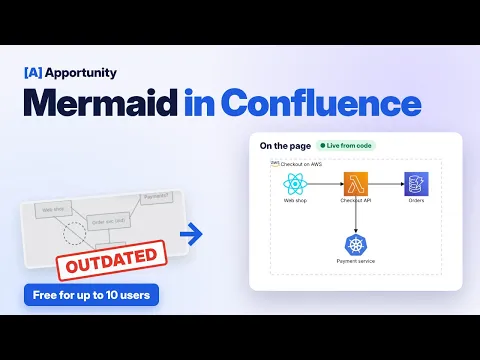
Write a few lines, see the diagram on the page
A syntax-highlighted editor with a live preview, inside Confluence. Start from one of 35 snippets, or paste Mermaid you already have. All 32 diagram types in Mermaid 12.1 are supported.
Draw the Mermaid already on your pages
One dialog finds every Mermaid code block on a page and draws it. Convert the ones you pick in a single page save, with undo if you change your mind. Nothing to copy out and paste back.
Export anywhere, keep your diagrams in Atlassian
Readers save any diagram as PNG or SVG, or copy it to the clipboard. Confluence PDF and Word exports keep the diagram. The app runs on Forge and stores diagrams as attachments of the page.
Supporting media
More details
Docs · All 32 diagram types · Get started · Support
Mermaid Diagrams draws flowcharts, sequence diagrams, Gantt charts, architecture maps and 28 more from a few lines of Mermaid code, on the Confluence page that explains them. For engineers, architects and technical writers.
- Write and see at once. Syntax-highlighted editor, live preview, 35 snippets
- Mermaid you already have. One dialog draws every Mermaid code block on a page and converts the ones you pick. Import from Mermaid Live, or draft with AI
- Mermaid 12.1, the engine behind mermaid.live. Code you copy renders the same
- Export anywhere. PNG, SVG, clipboard, and diagrams in Confluence PDF and Word exports
- Readers need nothing. Viewing and export need no license, guests included
Runs on Atlassian: built on Forge, diagrams stored as page attachments. Diagram code never leaves Atlassian.
Free for up to 10 users. Get started in 5 minutes, or book a demo. Also for Jira →
Resources
App documentation
Comprehensive set of documentation from the partner on how this app works
Privacy and Security
Privacy and security questionnaire has been filled by the partner
Privacy policy
Atlassian's privacy policy is not applicable to the use of this app. Please refer to the privacy policy provided by this app's partner.
Partner privacy policySecurity program
This app is not part of the Marketplace Bug Bounty program.
Integration permissions
Apportunity: Mermaid Diagrams Macro for Confluence integrates with your Atlassian app
Version information
Version 6.1.0•for Confluence Cloud
- Release date
- Oct 18th 2026
- Summary
- ✨ See the Mermaid code blocks on a page as diagrams, and convert them in one click
- Details
✨ Mermaid diagrams on this page
Pages often hold Mermaid as plain code blocks, from Markdown imports, AI tools or other apps. Open the page's ••• menu and choose Apps → Mermaid diagrams on this page to see every one of them drawn as a diagram. Nothing on the page changes.
- Finds code blocks marked
mermaid, untagged code blocks that start with a diagram type such asflowchartorsequenceDiagram, and```mermaidfences written as text - Open any diagram full screen with zoom, copy its source, or download it as PNG or SVG
- Works on pages, blog posts and Live Docs, for everyone who can view the page
🔁 Convert code blocks into diagrams
If you can edit the page, the same window lets you pick blocks and click Convert. Each one becomes a Mermaid Diagrams macro in the same place, with the same code, so everyone sees the diagram on the page.
- One new page version, saved under your name as a minor edit
- Undo right after converting, or restore the earlier version from page history
- If someone published the page while you were reviewing it, or it has unpublished changes, nothing is changed and the window tells you why
- A block with a syntax error still converts, so you can fix it in the diagram editor
👋 New to Mermaid Diagrams?
On a page without Mermaid, Insert an example diagram adds a small flowchart at the end of the page to start from.
No new permissions are requested, and nothing leaves Atlassian: the page is read and updated as the person using the window.
- Finds code blocks marked
- Payment model
- Paid via Atlassian
- License type
- Commercial