OVERALL RATINGS
INSTALLS
266
SUPPORT
- Partner Supported
Key highlights of the appJavaScript scripting and automation for Jira: script console, UI modifications, scripted fields, workflow rules and bulk tools
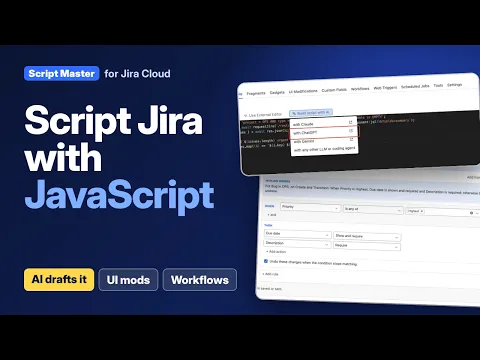
Automate Jira with JavaScript, not Groovy
Run a script against the Jira REST API in the Script Console, with your own permissions, for clean-ups and bulk changes. Start from a snippet, or have Claude, ChatGPT or Gemini draft one.
Change Jira forms with rules, not code
UI modifications show, hide, require, lock or pre-fill fields as people fill in the Create form. Start from one of six templates or write a script. Try rules on a sample form before you switch them on.
See what failed, and roll back in one click
The Overview lists the fragments, fields, web triggers and jobs that failed, with the error line. Every save is a version you can compare and restore, and runs keep their output for you to check.
Supporting media
More details
Script Master is a scripting and automation app for Jira admins. Write JavaScript, or use no-code rules and tools, to change Jira where Automation stops.
- Script Console: run a script against the REST API as yourself
- UI modifications: show, hide, require, lock or pre-fill fields while people fill in the Create form
- Workflow rules: scripted post functions, plus validators and conditions built from rules
- Scripted fields: a number, text, user or date, previewed on real work items before you save
- Fragments and gadgets: your own panels, actions, space pages and dashboard gadgets
- Web triggers and scheduled jobs: let other systems call a script, or run one on a schedule
- Tools: bulk-set resolutions or copy field values by JQL, with no code
Every save is a version you can restore. Built on Forge: the app's data follows your site's data residency, and server scripts run in your own Companion App. Free for up to 10 users.
Resources
App documentation
Comprehensive set of documentation from the partner on how this app works
Privacy and Security
Privacy and security questionnaire has been filled by the partner
Privacy policy
Atlassian's privacy policy is not applicable to the use of this app. Please refer to the privacy policy provided by this app's partner.
Partner privacy policySecurity program
This app is not part of the Marketplace Bug Bounty program.
Integration permissions
Script Master for Jira integrates with your Atlassian app
Version information
Version 8.5.0•for Jira Cloud
- Release date
- Nov 7th 2026
- Summary
- 🎛️ UI Modifications, version history, live preview and an admin Overview
- Details
- 🎛️ UI Modifications
Change Jira forms while people fill them in: show, hide, require, lock, rename or pre-fill fields, add hints, and limit the options of a select field. Build a UI modification from rules, with no code, or from a script. Start from a template and try it on the form before you save.
✅ Validators and conditions without codeBuild a Scripted Validator or Scripted Condition from rules, for example "Due date is set when Priority is Highest", and test it on a real work item as a person you choose before you rely on it.
🕘 Version historyFragments, gadgets, web triggers, scheduled jobs, UI modifications, scripted fields and workflow rules keep their earlier versions. Compare any two versions and restore an older one.
👀 Live previewThe fragment and gadget editors show your change as you edit. Preview a scripted field's value on real work items before you save it.
🏠 Overview and Get startedScript Master opens on an Overview of what needs attention, what changed recently and what your site has. New sites get a Get started page with examples you can run right away.
📊 Activity and failures at a glanceEvery list shows how often each item ran in the last 7 days. When a fragment or gadget fails, Script Master records it and takes you to the failing line. Scripts show their output on screen and keep a run history.
🧭 Easier to work withTabs with a More menu and a link to every page, one list layout for every module, and unsaved edits kept safe when you switch tabs. Create up to 100 fragments, gadgets and web triggers. Scheduled jobs can have a description.
📮 Error reportsScript Master now sends reports of its own errors and usage counts to Sentry, so we can find and fix problems faster. Your scripts, their output, field values and work item content are never sent. Admins can turn this off in Script Master > Settings.
🔒 Security ImprovementsStricter checks on who can read script code, safer external editor connections, and built-in snippets that no longer put page data straight into HTML.
🐛 Bug fixes and improvementsMany fixes from our release testing, including editors that fit Jira's page, layouts in narrow windows, Workflows tab links for Jira's new workflow editor, and clearer messages.
- Payment model
- Paid via Atlassian
- License type
- Commercial