Test Perspective for Confluence (manual test management)
OVERALL RATINGS
INSTALLS
145
SUPPORT
- Partner Supported
TRUST SIGNALS
Key highlights of the appManual test cases as a Confluence macro. Attach screenshots, copy a sheet for the next cycle, no Jira test plugin required
Create and Run Test Cases with Ease
Create test cases easily with our Test Case Macro—add it to your page and start inputting like taking notes. Run manual tests, log results, and attach images for complete documentation, streamlining your testing process.
Customize Test Macro Columns for Your Space
Tailor the column structure of your test macro to meet your needs. Define and add custom columns for each space, making it easier to manage your unique testing items effectively.
Support for test cycles
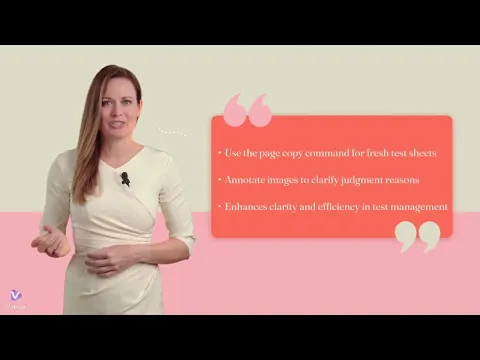
Create fresh test sheets with cleared results using our dedicated page copy command. Annotate attached images to mark defects and clarify judgment reasons.
More details
Our manual test tool is easy to use, letting Confluence users start quickly. Copy pages for repeated tests without complicated setup, so you can focus on improving product quality. Ideal for teams wanting a simple, effective solution for manual testing.
- Free for up to 10 users
- Standalone Test Management Tool: This is not an integration with an external test management tool. Instead, it is an independent test management tool that stores data within your Confluence instance and complies with GDPR.
Features:
- Efficient UI for creating and executing test cases
- Test execution reports across spaces
- Image/video attachment support
- CSV/Excel export and print options
- CSV import
- Paste images into image cells with Ctrl+V; copying a page or the test macro keeps the test content
Stories:
- Achieve More Efficient Manual Testing Than Excel
- Manual Testing in the AI-Assisted Development Era: Still Essential?
- Refine Your Test Cases with AI
Roadmap & Feature Request
Resources
App documentation
Comprehensive set of documentation from the partner on how this app works
Privacy and Security
Privacy and security questionnaire has been filled by the partner
Privacy policy
Atlassian's privacy policy is not applicable to the use of this app. Please refer to the privacy policy provided by this app's partner.
Partner privacy policySecurity program
This app is not part of the Marketplace Bug Bounty program.
Integration permissions
Test Perspective for Confluence (manual test management) integrates with your Atlassian app
Version information
Version 7.21.0•for Confluence Cloud
- Release date
- Aug 15th 2026
- Summary
- Quicker image attachment, and test content that survives copying
- Details
[Recent updates]
2026-08-16 Quicker image attachment, and test content that survives copying
- Paste images straight into image cells
- Select an image cell and press Ctrl+V to attach an image from the clipboard. Clicking a cell now only selects it — use the new + button at its right edge to browse for a file. Drag & drop is unchanged.
- Test macro content is carried over when you copy
- Copying a page, or copying and pasting the macro itself, now copies the macro's content as well.
- Image editing improvements
- Drawing on attached images has been improved.
2026-06-23 Smarter exports and list summaries
2026-04-29 Upgraded runtime for ongoing platform support
2026-04-19 Improved table UI; summary macro supports nesting; image editing
2026-03-30 Improve editing experience when many rows are displayed
2026-03-14 Fix: date handling
2026-02-28 Improved copy & paste behavior and enhanced page copy processing
2025-12-30 Improved the consistency fix process
- Paste images straight into image cells
- Payment model
- Paid via Atlassian
- License type
- Commercial