
OVERALL RATINGS
INSTALLS
1,785
SUPPORT
- Partner Supported
- Cloud Migration Assistance
TRUST SIGNALS
Key highlights of the appConnect Google Drive with Confluence to embed Sheets, Docs, Slides, and folders securely without duplicates
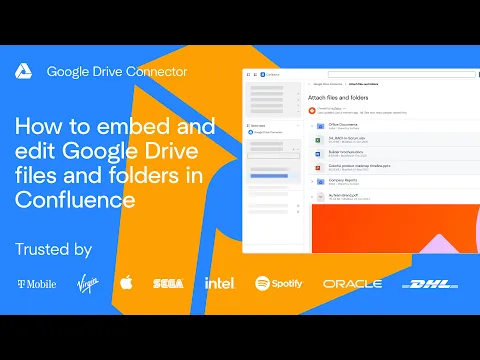
Connect Google Drive files & folders to Confluence
Attach and embed files or folders from Google Drive directly in Confluence pages and spaces. Keep content up to date and collaborate without switching tools. Take a guided tour or book a live demo to see it in action.
Google Drive file manager in Confluence
Browse folders and subfolders, manage files, and embed Sheets, Docs, Slides, and presentations without leaving Confluence. Use advanced layouts to display content clearly and keep teams productive on every page.
Enterprise security and permissions
Mirror Google Drive permissions or control access using Confluence users and groups. Keep a single source of truth with no duplicates. Files are never stored in Confluence, making the app enterprise-ready and secure.
Supporting media
More details
Google Drive Connector for Confluence lets teams work with Google Drive content directly inside Confluence while keeping Google Drive as the single source of truth.
- Attach and embed files or folders from Drive in Confluence pages and spaces, so teams collaborate without switching tools or duplicating content.
- Browse folders and subfolders, manage files, and upload content from Confluence back to Google Drive. Embed Google Sheets, Docs, Slides, PDFs, images, and videos with flexible layouts that keep pages clear and readable. Teams always see the latest version stored in Drive and collaborate in real time.
- Admins can mirror Google Drive permissions or manage access using Confluence users and groups. Files are never stored in Confluence, helping teams meet enterprise security and compliance requirements.
Take a product demo or book a live demo to explore Google Drive workflows inside Confluence.
Resources
Descriptor
Get the descriptor file downloaded to your system
App documentation
Comprehensive set of documentation from the partner on how this app works
Privacy and Security
Privacy policy
Atlassian's privacy policy is not applicable to the use of this app. Please refer to the privacy policy provided by this app's partner.
Partner privacy policySecurity program
This app is part of the Marketplace Bug Bounty program.
About Bug Bounty programIntegration permissions
Google Drive Connector for Confluence by ikuTeam integrates with your Atlassian app
Version information
Version 1.2.37-AC•for Confluence Cloud
- Release date
- Dec 11th 2024
- Summary
- Minor version update
- Details
Minor version update
- Payment model
- Paid via Atlassian
- License type
- Commercial