
OVERALL RATINGS
INSTALLS
947
SUPPORT
- Partner Supported
- Cloud Migration Assistance
TRUST SIGNALS
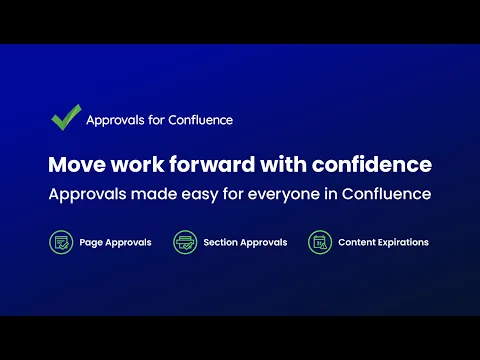
Key highlights of the appAdd page and section approvals to Confluence. Notifications, tracked sign-offs and a full audit trail. No setup needed
Control document sign-offs and view records
Send controlled documents to the right reviewers, notify approvers by email, and retain an approval record with names, timestamps and comments. Export it to CSV to support audit and ISO 9001 processes.
Keep unapproved content private
Set approvals to expire on edit or after a defined period, automatically request re-approval, and use the dashboard to spot content nearing expiry before controlled pages go stale.
Approve sections and see approval history
Use Section Approvals to send different parts of complex pages to different people or teams. Give each section its own approvers, expiry settings and approval history, without splitting the document.
Supporting media
More details
Trusted by Deloitte, Deutsche Bank, SpaceX, Grammarly, and more.
What does Approvals for Confluence record?
View and export page and section approval history showing who approved or rejected a page and when.
Can I approve a specific section of a page rather than the whole page?
Yes. Section Approvals let you send different parts of a page to different people or teams, with independent approvers and approval history.
How is it different from Confluence’s native approvals?
Native Confluence approvals are limited to Premium and Enterprise. Approvals for Confluence also works with Free and Standard, and adds Section Approvals, expiry, CSV export and an approvals dashboard.
Need more than single-stage approvals?
Use Workflows for Confluence for configurable multi-stage document workflows, versioning and publishing.
User Guides | Video Tutorials | Partner Resources | Use Cases
Resources
App documentation
Comprehensive set of documentation from the partner on how this app works
Privacy and Security
Privacy policy
Atlassian's privacy policy is not applicable to the use of this app. Please refer to the privacy policy provided by this app's partner.
Partner privacy policySecurity program
This app is part of the Marketplace Bug Bounty program.
About Bug Bounty programIntegration permissions
Approvals for Confluence (Page Review & Sign-off) integrates with your Atlassian app
Version information
Version 12.41.0•for Confluence Cloud
- Release date
- Oct 9th 2026
- Summary
- Minor version update
- Details
- Minor version update
- Payment model
- Paid via Atlassian
- License type
- Commercial