Elements Copy & Sync (clone issues, projects and epics)

OVERALL RATINGS
INSTALLS
2,400
SUPPORT
- Partner Supported
- Cloud Migration Assistance
TRUST SIGNALS
Key highlights of the appClone and sync Jira issues across projects or instances. Automate escalation, project templating or cross-instance sync
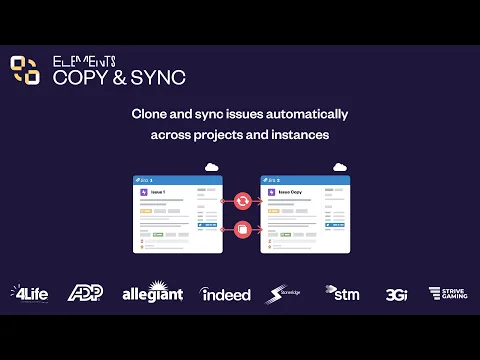
Effortlessly clone Jira issues and entire projects
Automatically clone Jira issues in projects and instances. Choose which data to copy (fields, attachments, comments…)
Enhance Jira issue synchronization across projects
🔄 Sync cloned issues to keep teams aligned and updated, enhancing cross-project collaboration
🔀 Pick one or two-way sync
🤝 Keep support and dev in sync automatically. Resolve incidents faster with comment syncing
Build custom cloning and syncing workflows
Set up customized cloning & syncing recipes and choose their triggers in a few clicks:
📍Manually
📍Through Automation
📍Using post-function
Select which issue field should be copied and/or synced.
Supporting media
Editions
This app offers two different editions - Standard and Advanced. You can start a free trial of either edition, and change your edition anytime during or after the trial.
Standard
Onboard your team and scale fast
Includes:
Clone work items
Synchronize work items
Field mapping
Status synchronization
Copy full hierarchy of work items
Advanced
Unlock the full range of app features
Everything from Standard, plus:
Increased local Jira recipes limit
Increased cross-instance recipes limit
Remote privacy management
Bulk operations
Synchronization Logs
More details
Why should teams use Elements Copy & Sync?
Save time, reduce manual work, and keep teams aligned across Jira projects and instances
Who is it for?
- Jira admins: simplify and automate cloning and sync processes
- Support: escalate work items from JSM to Jira or across instances
- HR: automate new employee onboarding workflows
- Engineering: sync work items and epics across projects to align development work
- Project managers: standardize and automate recurring work with project templates
Key features
- Clone & sync Jira issues (one or two-way) across projects and instances
- Sync workflows
- Bulk clone Jira issues
- Clone a full hierarchy of issue
- Automatically create subtasks
👉 Get help
📅 Book a demo 📖 Documentation 💬 Support
💡 Why choose Elements Copy & Sync over Jira Automation
▶️ Watch Alex Ortiz review on issue escalation
Solution Partner, talk to a Partner Manager
Resources
App documentation
Comprehensive set of documentation from the partner on how this app works
Privacy and Security
Privacy and security questionnaire has been filled by the partner
Privacy policy
Atlassian's privacy policy is not applicable to the use of this app. Please refer to the privacy policy provided by this app's partner.
Partner privacy policySecurity program
This app is part of the Marketplace Bug Bounty program.
About Bug Bounty programIntegration permissions
Elements Copy & Sync (clone issues, projects and epics) integrates with your Atlassian app
Version information
Version 12.1.0•for Jira Cloud
- Release date
- Sep 9th 2026
- Summary
- Bug fix
- Details
Bug fix: Resolved an issue when Bulk copy was not working as expected in some cases when “Same as source” option was selected.
See full changelog here.
- Payment model
- Paid via Atlassian
- License type
- Commercial