INSTALLS
No installs yet
SUPPORT
- Partner Supported
- Requires
- CONFLUENCE
- Works with
- JIRA
Key highlights of the appSign a Confluence page with qualified electronic signatures through Dokobit, and see when a signed page is edited
Start a signing from the page
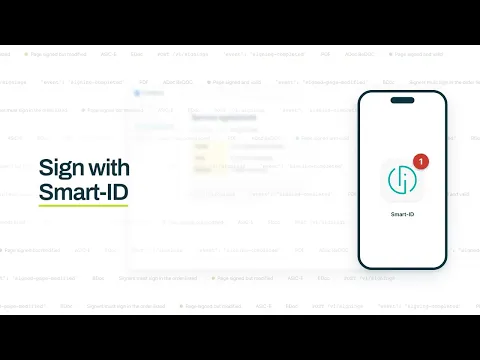
Open Sign this page in the byline, add people or a whole Confluence group as signers or viewers, and start. Dokobit invites each signer to sign with their own eID, such as Smart-ID or an ID card.
Every signed document in your company’s style
Upload your font, logo and a first-page background, then build the header and footer from text, pictures and placeholders. A live preview shows the result before anything goes out for signing.
Know who signed and whether the page changed
The signed document is attached to the page it came from. Each signature is tied to a page version, so if the page is edited after signing, the panel marks the signature not valid and links to the changes.
Supporting media
More details
SignPlus renders a Confluence page to PDF inside Atlassian's runtime and sends it to Dokobit, a qualified trust service provider. Signed with a qualified eID such as Smart-ID or an ID card, it is a qualified electronic signature, which eIDAS gives the legal effect of a handwritten one.
- Sign this page in the byline opens the signing panel
- Add people or a Confluence group, up to 25,000 signers on one signing
- The signed document is attached to the page it came from
- The signature is tied to the page version, so a later edit shows in the byline
- Your font, logo, first page, header and footer in every document
- Two Jira automation actions, a REST API and webhooks
Real signing runs on your own Dokobit account. The page and each signer's name and email address go to Dokobit, which by its own statement keeps them in the EU/EEA.
Resources
App documentation
Comprehensive set of documentation from the partner on how this app works
Privacy and Security
Privacy policy
Atlassian's privacy policy is not applicable to the use of this app. Please refer to the privacy policy provided by this app's partner.
Partner privacy policySecurity program
This app is not part of the Marketplace Bug Bounty program.
Integration permissions
Oktul SignPlus for Confluence integrates with your Atlassian app
Version information
Version 12.6.0•for Confluence Cloud
- Release date
- Oct 10th 2026
- Summary
- Minor version update
- Details
- Minor version update
- Payment model
- Paid via Atlassian
- License type
- Commercial